One bio link — straight to the URL you want

Instant redirect bypasses the page: a visitor taps the bio link and lands directly where you want them.
Free Plus

Sometimes you don't need a page with ten buttons — you need one specific destination. A promo runs for three days and the bio link should go straight to it. Instant redirect turns your choko.link/username into a direct link: the visitor clicks and lands on the specified URL with no intermediate page. Disable the option — and the page works normally again.
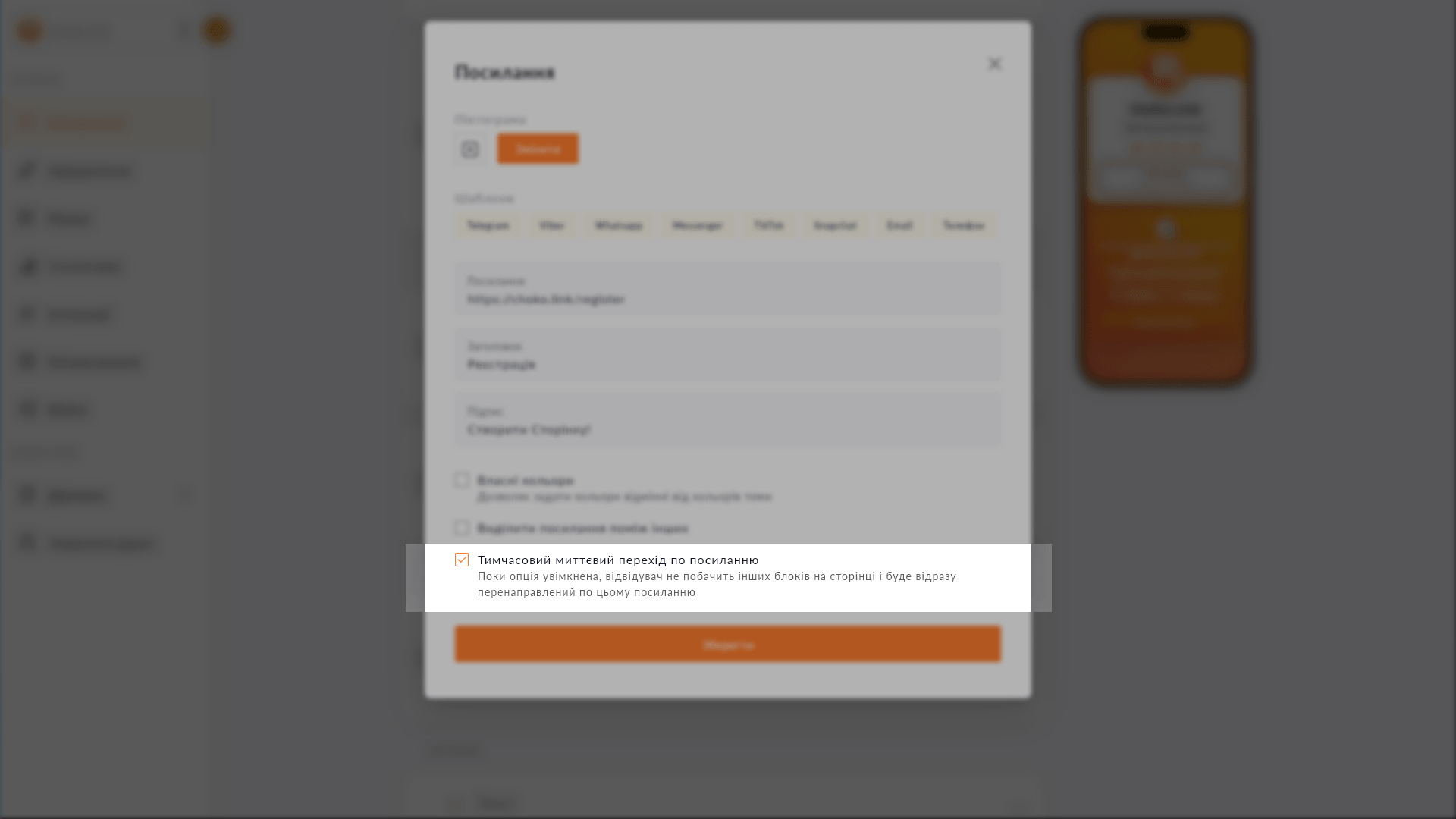
Instant redirect toggle in Choko.Link editor — a flexible link-in-bio for seasonal campaigns
Instant redirect toggle in Choko.Link editor

What instant redirect does

  1. Bypass the page
    Visitors don't see the block list — they land directly at the specified URL.
  2. Any URL
    Enter any address: a website, Telegram channel, video, campaign landing page.
  3. Simple toggle
    Enabled and disabled with one toggle in the link settings.
  4. Page is preserved
    The page with all its blocks is saved — disabling the toggle restores it.
  5. Analytics still tracked
    A redirect visit is logged in analytics as a regular page view.
  6. Flexible use
    Ideal for campaigns, announcements and seasonal promos with a specific target URL.

How to set up instant redirect

  1. 1. Open your Choko page editor.
  2. 2. Go to the link block settings — find the 'Instant redirect' option.
  3. 3. Enable the toggle.
  4. 4. Save — the bio link now goes directly to the specified address.

Who it's for

Free to use — try it right now

Create a page

Sign up in 30 seconds • No card needed

Questions & Answers

Available on the Free and Plus plans. Yes. All blocks and page settings are preserved — redirect only changes behavior when the link is opened. Disable the option and the page is fully restored. No — the redirect stays active until you disable it manually. A timer with auto-disable is not currently supported.

You might also like

API for developers

Choko.Link's read-only API gives access to form messages, click analytics and raw data. For integrations, dashboards and CRMs.

Custom subdomain

Choose a short subdomain for your Choko page: username.chkl.ink, username.otut.link or username.osyo.link. Available on Plus.

Referral program

Invite a friend via your referral link. If they subscribe to Plus — you both get a free month. No limit on the number of invites.

Website widget

Embed your Choko page on your website as a floating button. A click opens a frame with your links right on the site page.

Click analytics

Link click charts, page views and visitor geo-analytics. 7 days on Free, 31 days on Plus. CSV export.

Submissions to Telegram

Connect a Telegram chat to the Choko.Link lead form. Every submission arrives in Telegram instantly — no dashboard visits, no CSV.