Donors and clients from Instagram don't get lost

A banner for Instagram and TikTok in-app browsers explains how to open the page in Safari or Chrome — where forms and buttons work without restrictions.
Free Plus

Instagram and TikTok open external links in their own built-in browser. This limits some functionality: certain payment pages don't open, forms may behave inconsistently and donors can't complete a transfer. Choko.Link's banner shows these visitors a prompt: how to open the page in the system browser — and not lose a potential click or donation.
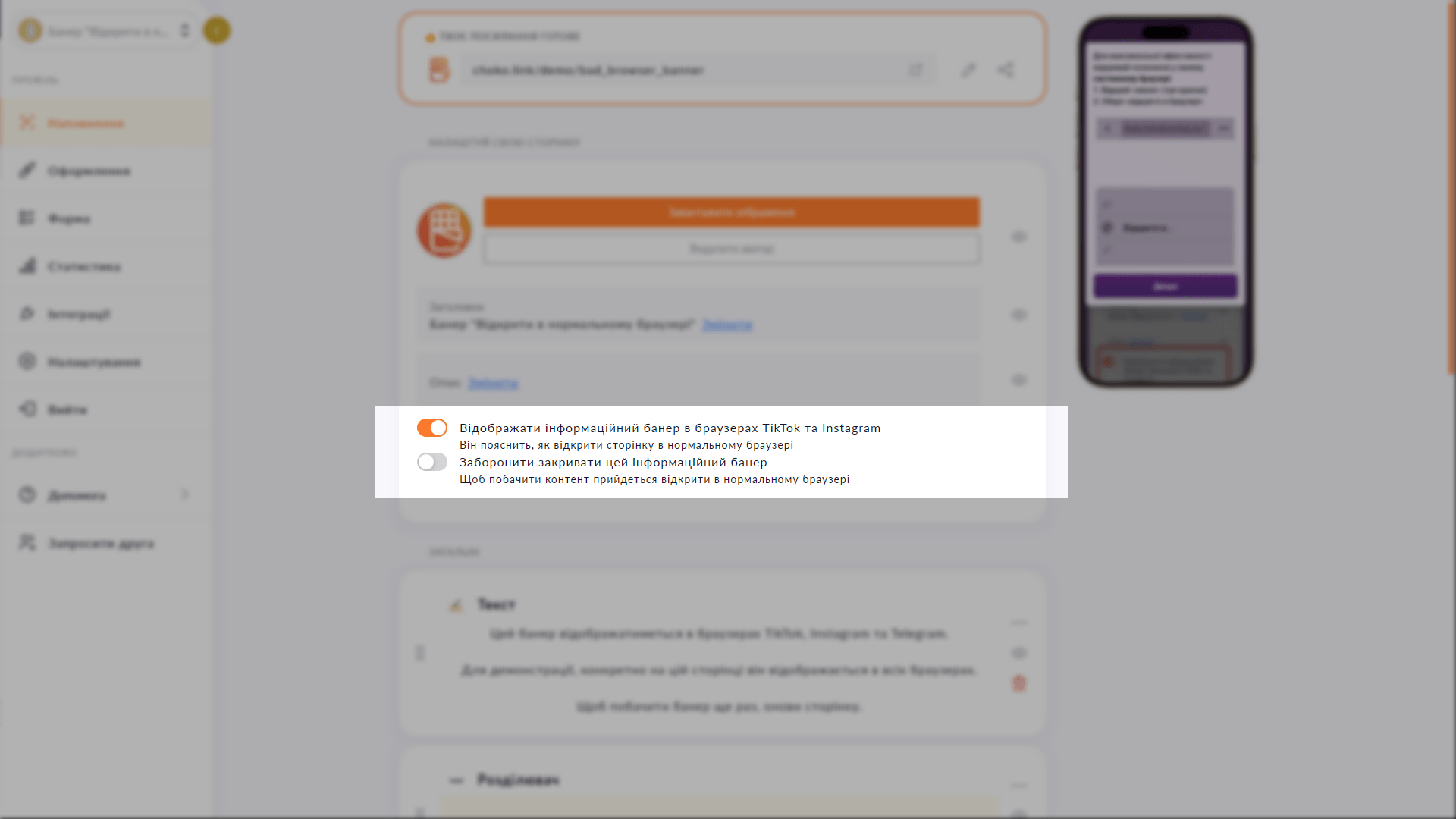
In-app browser banner settings in Choko.Link — the leading link-in-bio for volunteers and businesses
In-app browser banner settings in Choko.Link

How the banner works

  1. Automatic detection
    The banner only appears for visitors arriving via Instagram or TikTok in-app browsers.
  2. Step-by-step prompt
    Clear, concise instructions on how to open the page in Safari or Chrome.
  3. Non-dismissible mode
    Optional: lock the banner so the visitor can only proceed by opening the system browser.
  4. Reduced lead loss
    Visitors who open the page in a normal browser convert significantly better.
  5. Zero setup for visitors
    The prompt appears automatically — visitors don't install anything.
  6. Optional feature
    The banner is enabled and disabled in the page settings.

How to enable the banner

  1. 1. Go to 'Content' → 'Customize your page'.
  2. 2. Enable the toggle 'Display informational banner in TikTok and Instagram browsers'.
  3. 3. If needed, enable 'Prevent this informational banner from closing' — the visitor can only interact with the page after opening a system browser.
  4. 4. Changes apply immediately — no save needed.

Who it's for

Free to use — try it right now

Create a page

Sign up in 30 seconds • No card needed

Questions & Answers

Available on the Free and Plus plans. No — the banner only appears for visitors arriving via Instagram and TikTok in-app browsers. System browser visitors see the page without the banner. Currently the banner uses standard text with clear instructions for the relevant device. Custom text is not yet supported. Yes. The banner displays in the visitor's device language — automatically. Supported languages: Ukrainian, English, Polish, German, French, Spanish, Italian, Czech and Portuguese.

You might also like

Submissions to Telegram

Connect a Telegram chat to the Choko.Link lead form. Every submission arrives in Telegram instantly — no dashboard visits, no CSV.

Custom subdomain

Choose a short subdomain for your Choko page: username.chkl.ink, username.otut.link or username.osyo.link. Available on Plus.

Custom domain

Connect your domain to your Choko page — yourdomain.com becomes your link-in-bio. Feature in beta, will be available in the Pro plan.

Website widget

Embed your Choko page on your website as a floating button. A click opens a frame with your links right on the site page.

Instant redirect

Enable instant redirect on your Choko page — and visitors land on the chosen URL right away, without seeing the page.

API for developers

Choko.Link's read-only API gives access to form messages, click analytics and raw data. For integrations, dashboards and CRMs.