A QR code for your bio page — in a few clicks

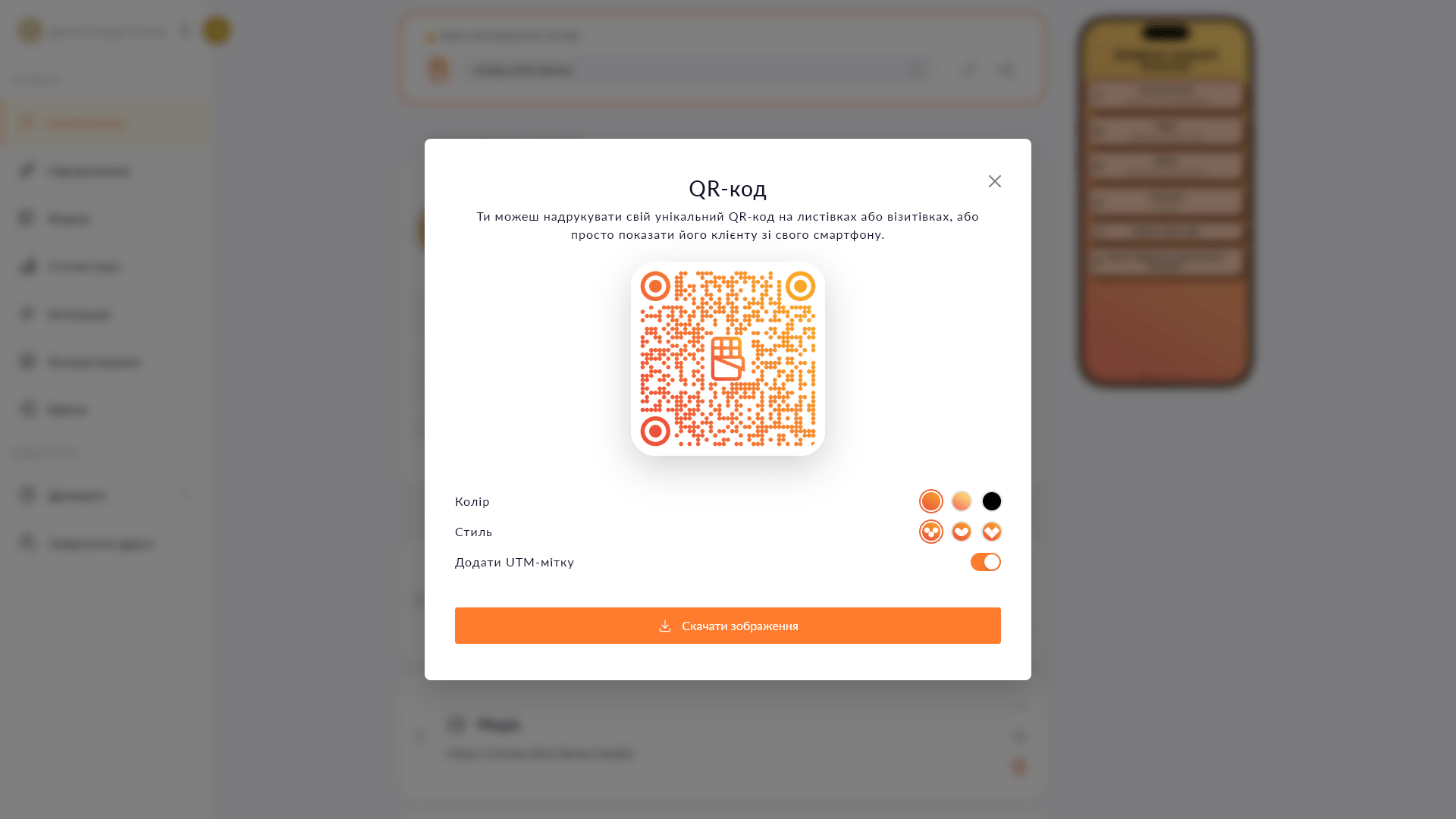
The built-in builder generates a QR code with a logo in the center. Choose a color and style — then download for print or online use.

Free Plus

Choko.Link has two QR code builders. The first is built into the dashboard: it generates a code for your Choko page, always up to date, no third-party service needed.
The second is a free tool at choko.link/free-tools/qr: accepts any link or Wi-Fi credentials, and offers more customization options — color, dot shape, center icon.

QR code builder in Choko.Link dashboard — the leading link-in-bio service for offline marketing
QR code builder in Choko.Link dashboard

What the QR code builders can do

  1. QR code for your Choko page
    The built-in dashboard builder generates a code pointing to your page — no external services or sign-ups.
  2. QR code for any link
    The free tool at choko.link/free-tools/qr accepts any URL or Wi-Fi credentials.
  3. Color and style
    Choose a color and dot shape to match the design of materials where the code will be printed.
  4. Center icon
    A logo or icon in the center of the QR code — for recognition and trust.
  5. PNG download
    Save the file for printing on a business card, banner, flyer or for online use.
  6. Always up to date
    The QR code for your Choko page links to the current version — content updates without regenerating the code.

How to generate a QR code

  1. 1. For a QR code to your Choko page: open your Choko.Link dashboard and go to the 'QR code' section.
  2. 2. For a QR code to any link or Wi-Fi: go to choko.link/free-tools/qr — no sign-up needed.
  3. 3. Choose a color, dot style and center icon.
  4. 4. Download the PNG and use it for print or online publications.

Who it's for

Free to use — try it right now

Create a page

Sign up in 30 seconds • No card needed

Questions & Answers

The dashboard builder generates a QR code only for your Choko page — fast, no extra steps. The free tool at choko.link/free-tools/qr accepts any link or Wi-Fi data and offers more customization. No — the code links to your page URL, not to specific content. The page updates; the code stays the same. The file downloads at a print-ready size — suitable for business cards, banners and flyers.

You might also like

Custom domain

Connect your domain to your Choko page — yourdomain.com becomes your link-in-bio. Feature in beta, will be available in the Pro plan.

Website widget

Embed your Choko page on your website as a floating button. A click opens a frame with your links right on the site page.

Multiple pages

Create up to 11 pages on one Choko.Link account: a main page and 10 child pages. Different projects, niches or languages — all on one account.

Submissions to CRM

Automatically send Choko.Link form submissions to KeepinCRM, KeyCRM or SalesDrive. Feature planned for the Pro plan.

Instant redirect

Enable instant redirect on your Choko page — and visitors land on the chosen URL right away, without seeing the page.

Click analytics

Link click charts, page views and visitor geo-analytics. 7 days on Free, 31 days on Plus. CSV export.