A living background — and your page sticks in memory
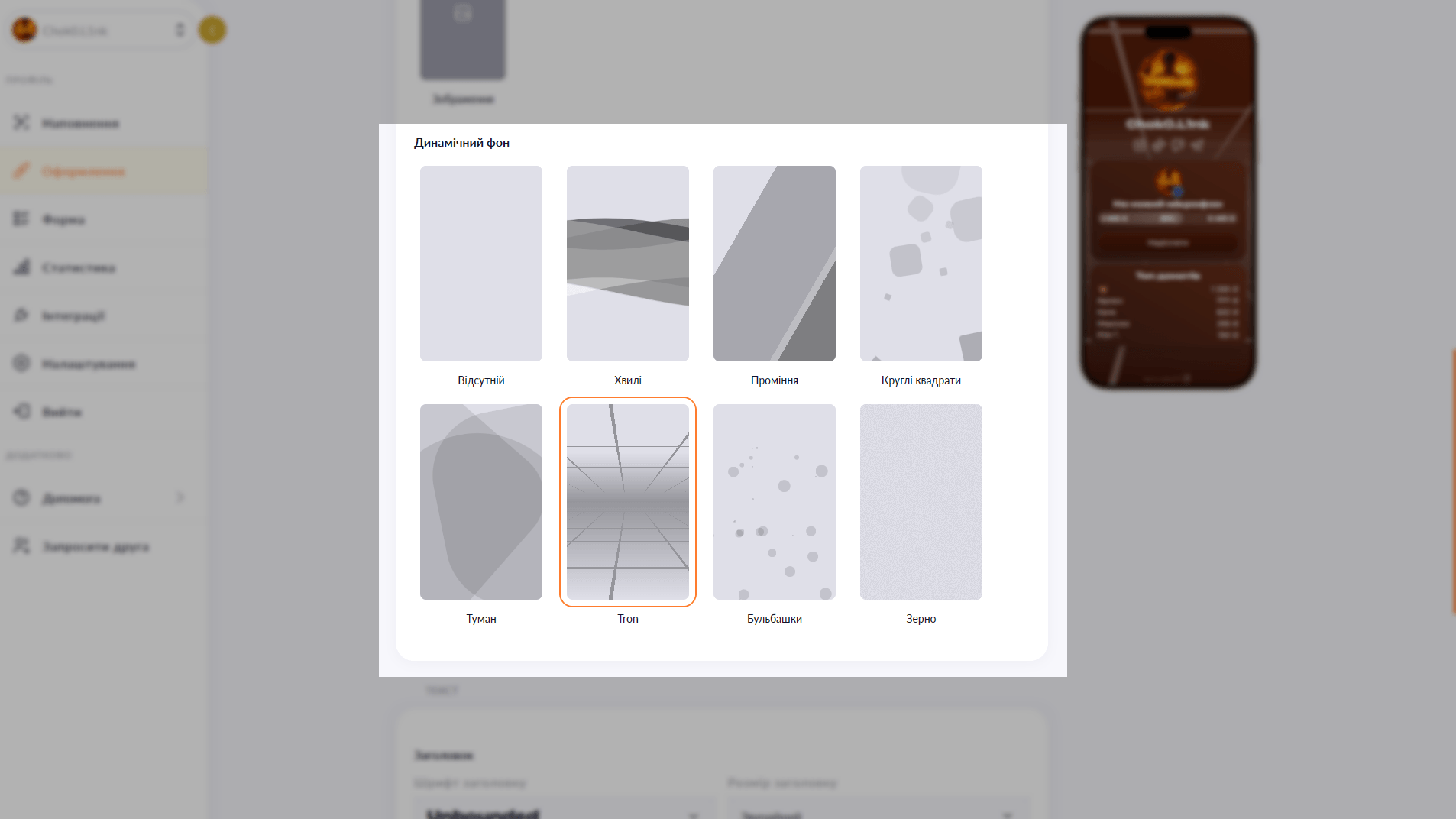
Six animations to choose from: waves, rays, bubbles, squares, Tron and grain. Layer them over any background color.
Six animations to choose from: waves, rays, bubbles, squares, Tron and grain. Layer them over any background color.
A static color page is fine. A page with an animated background is something eyes linger on. Choko.Link's dynamic background is a CSS animation layered over your gradient: lightweight, browser-friendly and zero lines of code from your side. It looks alive without distracting from the content.
Start for free, upgrade whenever you need more.
Create a page for freeSign up in 30 seconds • No card needed
Set your own photo as the background of your Choko page. A unique look that expresses your brand — available on the Plus plan.
Add a YouTube or Vimeo video as the background of your Choko page. A living visual style for your brand, music, venue or portfolio — available on Plus.
Pick a font for your Choko page heading and body text from a selection of 10+ typefaces. Typography that matches your style.
Customize buttons on your Choko page: solid fill or outline, corner radius, shadow and colors. Each button individually.
The hero avatar spans the full container width on your Choko page and blends smoothly into the background. A striking first impression for your bio.
Add a PUMB MoneyBox to your Choko page: heading, photo and current amount raised — all in one block. Just paste your fundraiser link to connect.