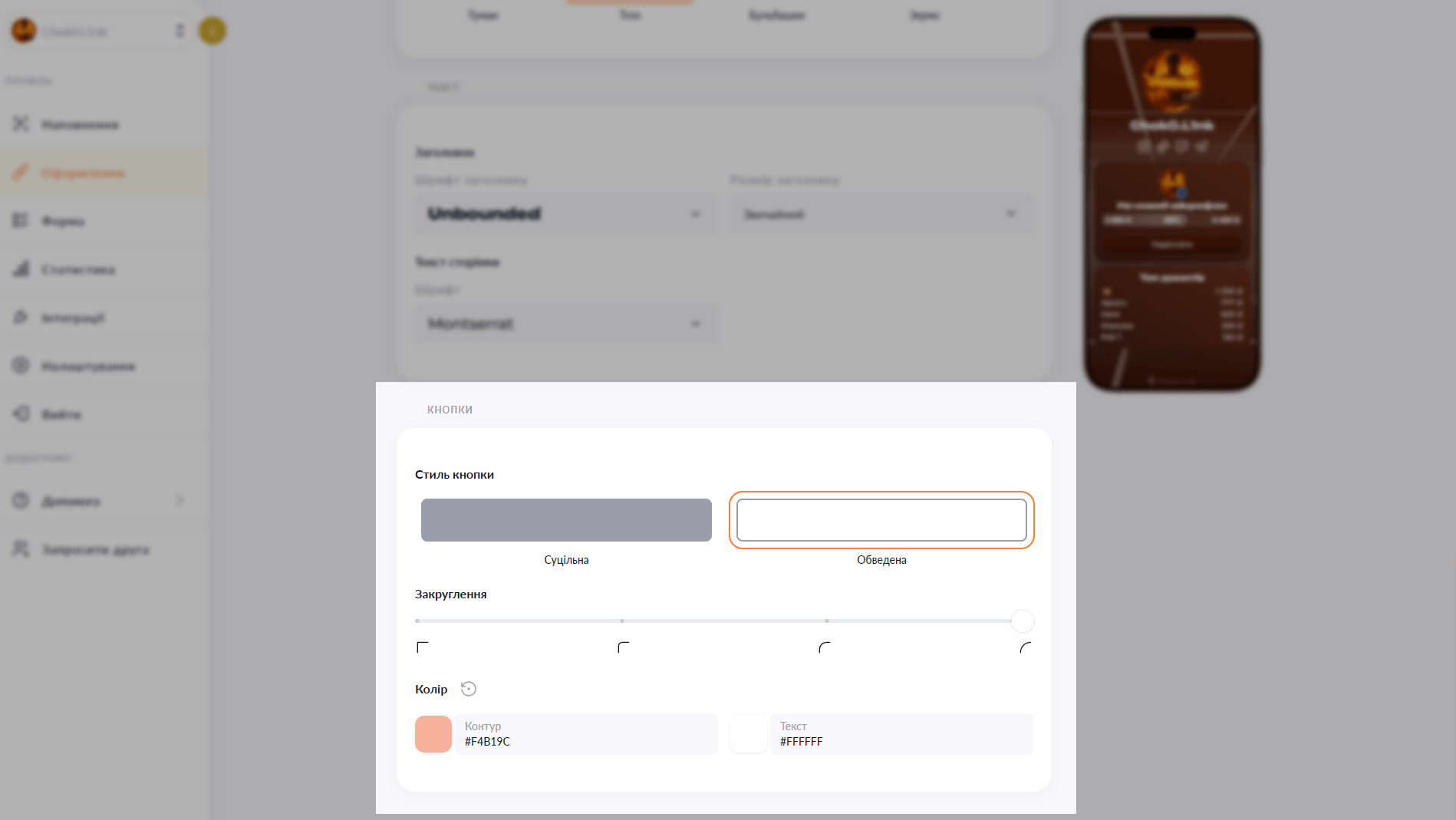
Buttons that match your style

Fill or outline, sharp or rounded corners, shadow or none — four parameters for each button or for the entire page at once.

Free — 2/2 Plus — 2/2

Rounded buttons with a shadow — one aesthetic. Rectangular outlined buttons — a completely different one. Choko.Link gives you four parameters for button styling: fill type, corner radius, shadow and colors. The global style applies to all buttons, but each one can be overridden individually — to make the most important link stand out.

Button style editor in Choko.Link — the leading link-in-bio service with flexible button design
Button style editor in Choko.Link

Button parameters

  1. Shape & corner radius
    Smooth rounding control: from perfectly sharp corners to fully oval pill-shaped buttons.
  2. Fill or outline
    Choose between a solid background fill or an elegant outline-only style.
  3. Shadow & depth effects
    Add soft blurred shadows or hard retro shadows (neumorphism) for a clickable feel.

How to customize button style

  1. 1. Open your Choko page editor.
  2. 2. Go to 'Design' → 'Buttons'.
  3. 3. Choose the type, radius, shadow and colors for all buttons.
  4. 4. If needed, override the style for an individual button in the links block settings.

Who it's for

Free to use — try it right now

Create a page

Sign up in 30 seconds • No card needed

Questions & Answers

Free2 of 2 options, Plus2 of 2 options. Yes — the global style sets the look for the whole page, ensuring visual consistency and harmony across the design. Yes. The global style is set for all buttons, but in the settings of each individual links block you can choose your own colors. No — shadows are only available for solid-fill buttons. Outlined buttons display without a shadow.

You might also like

Background image

Set your own photo as the background of your Choko page. A unique look that expresses your brand — available on the Plus plan.

Background video

Add a YouTube or Vimeo video as the background of your Choko page. A living visual style for your brand, music, venue or portfolio — available on Plus.

Animated background

Add a dynamic background to your Choko page: waves, rays, bubbles, squares, Tron or grain. A live effect with no code.

Page fonts

Pick a font for your Choko page heading and body text from a selection of 10+ typefaces. Typography that matches your style.

Hero avatar

The hero avatar spans the full container width on your Choko page and blends smoothly into the background. A striking first impression for your bio.

QR code builder

Two QR code builders: a built-in one for your Choko page and a free tool for any link or Wi-Fi. Colors, styles, icons — download and use.